Add
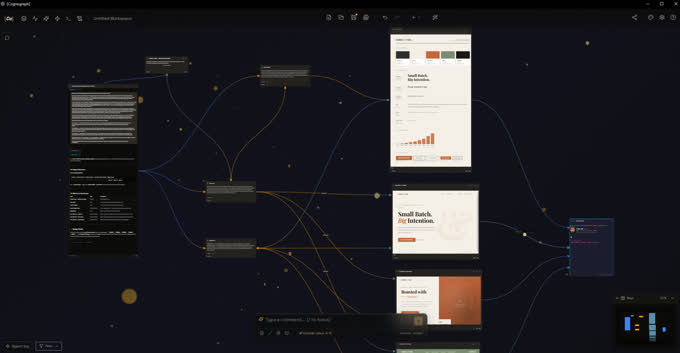
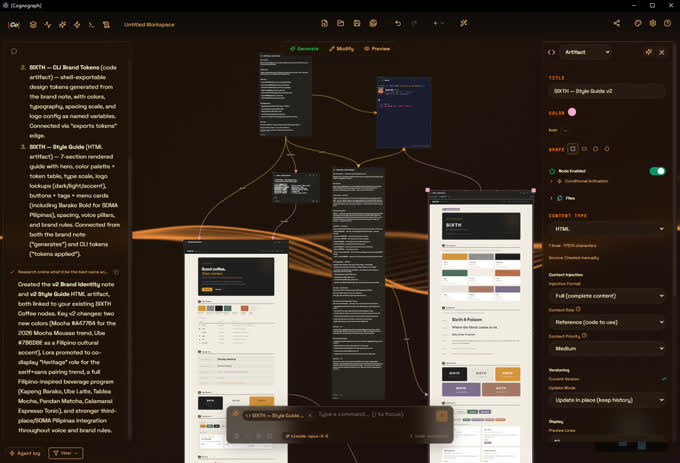
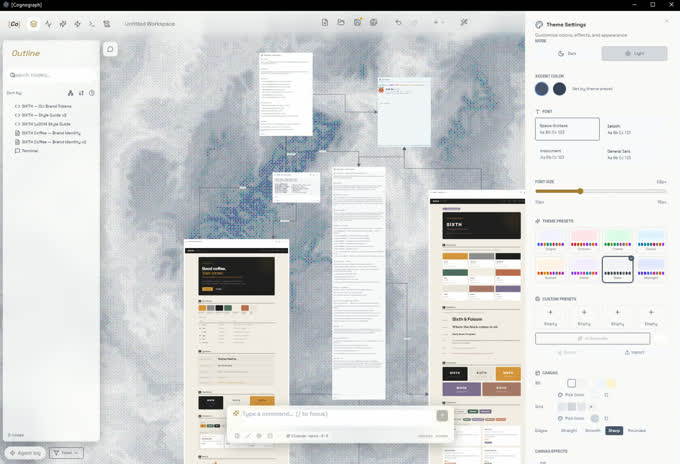
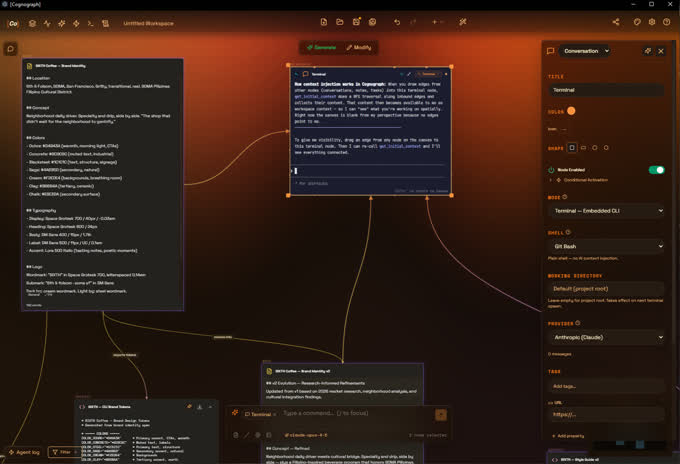
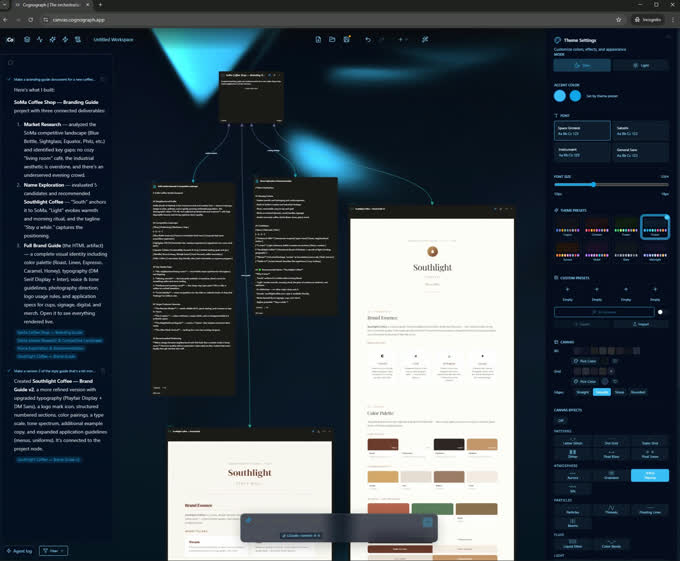
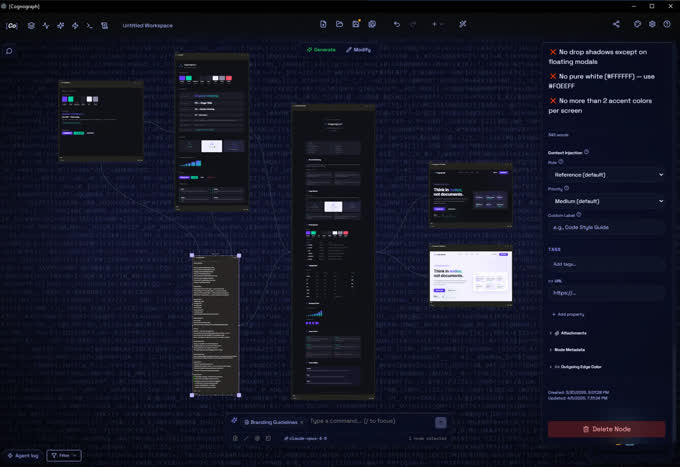
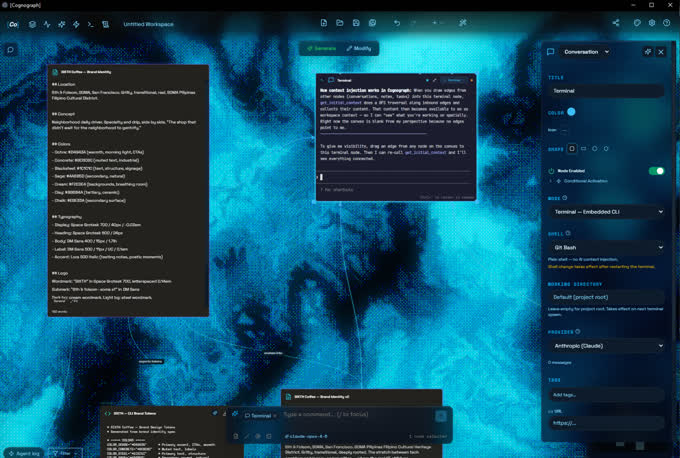
Anything becomes a node. Conversations, notes, documents, terminals, automations. Drag them onto the canvas and they exist in space, visible and persistent.
The bottleneck isn’t the model. It’s the gap between how you think and how your tools expect you to work.
Remove that gap and everything gets faster.
The orchestration layer for AI work. Connect two nodes and the AI reads both. No system prompts. No config files.
4 patents pending · Open source · AGPL-3.0 · Built on Perception-First Design
Self-host. Bring your own LLM. Your data stays on your machine.
Anything becomes a node. Conversations, notes, documents, terminals, automations. Drag them onto the canvas and they exist in space, visible and persistent.
Draw edges to map relationships. Feed the output of one node into another. Build reasoning chains, reference webs, and context graphs that would be impossible in a chat window.
Proximity fires automations. Spatial triggers, property changes, cron schedules. Your canvas layout becomes executable logic. The workspace doesn’t just hold your work. It runs it.
Patent PendingAttach persistent context nodes to your LLM conversations. Stop re-explaining yourself every thread. The AI retains the exact state of your project: files, decisions, history. Because you wired it spatially.
Graph-aware connections between your documents surface relationships through topology, not keyword matching. Your notes, research, and conversations form a knowledge graph that gets smarter as you connect it.
Automate repetitive reasoning tasks with visual logic gates. No scripting. No YAML. Drag edges between nodes and define conditions. The canvas executes when criteria are met.
Pipe the output of one model directly into another. Claude, GPT, Gemini: compare, evaluate, synthesize across providers. Add files, more context, more flows. One canvas, every model.
Context is assembled from your graph. The model receives exactly what’s connected, nothing redundant. Token budgets prevent overflow. No copy-pasting, no re-explaining.
TOKENS: 60-85% fewer · MODE: Spatial inject
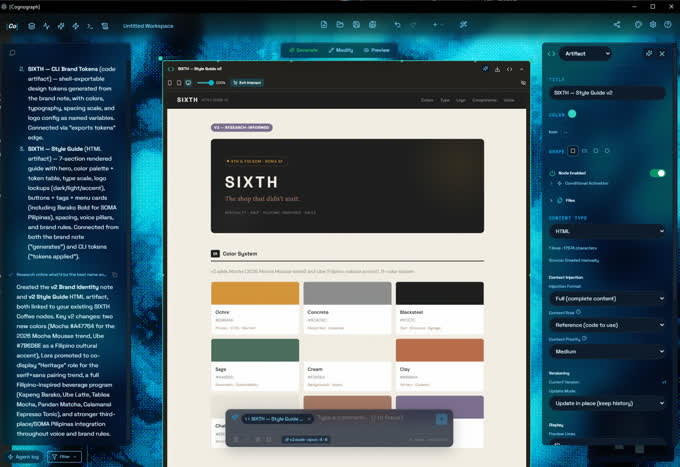
Construct deterministic scripts and workflows without writing code. Mutate, transform, and output artifacts: websites, style guides, images, PDFs, articles, anything you can describe.
NODES: 100+ native · LOGIC: If/Else, Loops
Notion push sync is live. Typed plugin API with scoped settings, encrypted credentials, workspace access, and event subscriptions. Build your own or use ours.
PUSH: Notion live · API: v1 stable
Air-gapped capabilities. Connect to local models through Ollama. Host it yourself, bring your own keys, or pay as you go. Your data never has to leave your machine.
STORAGE: IndexedDB · NET: Offline-first
Conversations, agents, terminals, notes, tasks, projects, artifacts, actions, and orchestrators. Artifacts render HTML, code, images, video, audio, and 3D models directly on canvas.
TYPES: 9 native · MODES: Chat, Agent, CLI
Route to Anthropic, OpenAI, Google, or local models through Ollama. Bring your own API key or run fully local for free. Switch providers per node. One canvas, every provider.
PROVIDERS: 4+ live · LOCAL: Ollama
AGPL-3.0. Read every line. Run it yourself. The entire spatial engine, every node type, every trigger mechanism. It’s all there. I built this in the open because the best tools earn trust by showing their work.
I’m a designer and developer with 15 years of experience and a background in cognitive psychology. I have ASD and severe combined-type ADHD. Linear chat doesn’t work for me. I built the tool that does.
View on GitHubWeb app. Bring your own API keys. Full canvas, no limits.
Web app. AI credits included. Bring your own keys or use ours.
Coming Soon
Not open for subscriptions yet. Use Free or Self-Host today.
Download for Mac or Windows. Your machine, your data. AGPL-3.0.
Free forever. Commercial use? Contact me.
Product
Cognograph is a spatial AI canvas where conversations, agents, terminals, notes, tasks, and automations live on one canvas. You connect nodes with edges and the AI reads the graph, assembling context via breadth-first traversal instead of forcing you to copy-paste between windows. 9 node types, 13 spatial trigger types, open source AGPL-3.0.
A workspace where layout is context engineering. Instead of managing context through system prompts and config files, you arrange nodes on a canvas and draw connections between them.
The AI traverses those connections to build its context window. Your spatial layout becomes your prompt engineering.
I built Cognograph because I have ASD and severe combined-type ADHD. Linear chat doesn't match how associative thinkers process information. Spatial layout maps to working memory: persistent, visible, connected. It started as a workaround for my brain. Turns out spatial thinking isn't a neurodivergent workaround. It's how most people handle complexity when given the option.
Technical
Bring your own API key for Anthropic (Claude), OpenAI, Google (Gemini), or OpenRouter (100+ models). Or skip API costs entirely: connect Ollama for local inference with Llama, Mistral, Phi, or any GGUF model. Terminal nodes support any CLI-based agent. Each conversation node can use a different provider.
The spatial graph walks connections and sends what's linked. Fewer tokens per call, any provider.
When you connect nodes on the canvas, Cognograph walks the graph via breadth-first traversal and assembles only the relevant context for each AI call. Connected nodes become the AI's working memory. You send what matters, not everything. In my testing, this cuts token usage up to 80% compared to re-prompting the same context every message.
Spatial triggers are patent-pending automation mechanisms that fire based on canvas state. 13 trigger types: proximity detection, region enter/exit, cron schedules, property changes, connection events, cluster size thresholds, child completion, ancestor changes, connection count, isolation detection, manual, and node creation.
Your canvas layout becomes executable logic. No scripting required.
Semantic zoom handles scale. Five levels adapt automatically: ultra-far shows cluster shapes, far shows titles, mid shows lede text, close shows full content, ultra-close expands toolbars and property panels. The graph also self-organizes relevance through BFS traversal. You connect what matters and the AI curates what's relevant.
Architecture
Yes. The Electron desktop app runs with zero server dependency. Connect Ollama or any local model for fully air-gapped AI. Workspaces save as local JSON files. API keys are encrypted via your OS keychain, never sent to Cognograph servers.
Browser: IndexedDB, never leaves your machine. Desktop: local JSON files on your filesystem. Pro tier: cloud sync over TLS-encrypted connections. No telemetry in any tier. No account required for free use.
Comparison
Chat is one thread. Context dies when the window closes. A spatial canvas is persistent nodes you wire together. The AI reads the graph topology, not just the last few messages. Context engineering replaces copy-paste. You build a knowledge graph that gets smarter as you connect it.
Workflow builders run linear pipelines: if this, then that. Cognograph is a graph where edges carry context in any direction. Nodes aren't steps in a sequence. They're persistent context the AI traverses. The canvas is the programming language.
Open Source
AGPL-3.0. 900+ source files on GitHub. 2,400+ tests across 141 test files. Read every line, run it yourself. Self-hostable on any machine with Node.js 20+. Free for personal use. Commercial use requires a commercial license.
Four provisional patent families covering how Cognograph assembles context, orchestrates spatial layouts, fires triggers, and previews AI-proposed changes. The Defensive Patent Pledge means I won't use these patents against anyone unless they come after Cognograph, its users, or contributors first. The patents protect the community, not restrict it.
Pricing
Three options. Browser: $0, bring your own API keys, full canvas, no limits. Desktop: $0, self-host, bring your own keys or run Ollama for zero-cost local AI. Pro: $15/mo, TLS-encrypted cloud sync, $5 AI credit included, works out of the box.
Browser: go to cognograph.app/workspace. No account required. Desktop: git clone https://github.com/skovalik/cognograph.git, npm install, npm run dev. Requires Node.js 20+.
Stop copy-pasting context between AI conversations.
Launch WorkspaceNo account required